Monday, June 11, 2012

Stemless Magnetic Wine Charms

I'd like to introduce you to another new item in my Etsy shop which I hope people will enjoy. I've been thinking of ways to expand my Wine Charm line, and I decided that one of the best ways to do that would be to branch out in the kind of wine charms I make. Two weeks ago, you saw my first magnetic clasp wine charms.

Today, I'd like to introduce you to my magnetic wine charms for stemless glasses, although you certainly don't need a stemless glass to use them!


I made them in a set of 6 (chose your colors) and a set of 13 (you get one of each color). To play it safe, I found some simple colored tiles to launch this line. If it becomes popular, I'd like to create my own tiles with a more personal touch. I'm already experimenting with different types!

No, I didn't forget to rotate the picture! I'm holding it
 on its side to show how strong the magnet is.

You guessed it: this one is really upside down!

An example of twelve different colors offered. The
thirteenth color is the one at the top of the page.

What do you think? Is this something you'd consider buying for yourself or a loved one?

Saturday, June 9, 2012

Etsy Team

Those of you who shop and sell on Etsy probably know that there are Teams you can join. Well, I've just created a new team! I was looking for a place where I could post simple opinion questions, such as color preferences, etc, and couldn't find anything.

"Just My Opinion" was born! This team is for anyone to join. Feel free to ask questions or answer questions or a little bit of both. Maybe you just want to "lurk" for a bit and see what other people have to say. ;)

Since the team is brand-new, there is no one but me so far. Won't you be the first to officially join?

Friday, June 8, 2012

One Lovely Blog Award

I know I normally have a Friday Feature, but this week I wanted to share something a little different. Yesterday I was nominated for the One Lovely Blog Award! It came as a complete surprise, but I am happy to accept. Here are the rules of acceptance that were given to me:

  1. Link back to the blogger who nominated you
  2. Paste the award image on your blog
  3. Tell 7 facts about yourself
  4. Nominate 15 other blogs that you would like to give the award to
  5. Contact the bloggers that you have chosen to let them know about the award
It may be noted that I looked up (okay, Googled) the "rules" and found almost every strain of this award has a different variation of the rules, so it seems that there is some wiggle room allowed, and I think I'll take advantage of that. Nominating 15 seems like a lot, and almost seems to diminish the award a little, so I'll nominate 5 instead, but 5 that I really, really like. :) I'll also cut the "facts about myself" down to 5.

I was nominated by Dana of Cereus Art: Casual Costal Decor. Thank you, Dana! You have a lovely blog and website!

Okay, here are 5 things you may not know about me, in no particular order:

  1. I grew up Washington State
  2. Potatoes are probably my favorite food
  3. I lived in Alabama for over 2 years
  4. My hair has been in a state of growing out and being cut off for probably the last 15 years
  5. In addition to crafting, I teach HS English (which is why my blog is a teensy bit neglected in the winter - I'm too busy grading essays and research papers to write much!)
And now, 5 blogs that I enjoy reading:
  1. All Things Tangled
  2. Dishfunctional Designs
  3. AZ Life & Style
  4. Griffinwyse
  5. Stelabird
Please check them out - you won't regret it!

Thursday, June 7, 2012

New Survey

Check out the quick one question survey on my Facebook page! It's just asking which option you'd prefer for receiving wine charms in the mail.

There's also an older one question survey a little ways down the page regarding which kind of wine charms you're most interested in - please take that one as well if you'd like!

Wednesday, June 6, 2012

Create an Easy Custom Formula in Excel to Price Items

I wrote a while back about taking inventory of several of my supplies. Today, as I waited not-so-patiently for new supplies to come in, I decided to take the time to update and review my pricing and profit margins. Once upon a time, I had imputed information into Excel to easily see my costs. For example, I had done the math to find out how much 20 beads cost, the number that fit around one ring for my wine charms.

Well, since then I have added new types of embellishments and had to change old ones (switching suppliers or brands and the like). It was time to make sure I was still on the straight and narrow.

Unfortunately, I found that my old spreadsheet was a mess. Sure, it had information in it, but it didn't calculate anything by itself, and really, isn't that why we use Excel? So it will calculate things for us?

After some time searching online and experimenting, I finally figured out how to create a mini-spreadsheet with a built in formula to quickly redo the math anytime my costs change. Turns out it's ridiculously easy. I'm using an Excel 2004 Mac version, but I'm pretty sure Excel doesn't change much.

(These number are made up for the sake of example)
The first thing I did was type out the information I wanted to know (materials cost/profit with various fees, etc.) onto the left side of a set of boxes I set off with dark lines. The lines aren't necessary. It looks like this -------------------------->

Then it was time to create the formula. Most of my items are $9, $12, or $15, so I created a Master Formula for each to copy/paste easily later. This is my example for the $15 item.


I wanted to make it easier to see and modify the formula I was creating, and since the formula bar wasn't at the top of my page, I had to make it visible. To do that, I went into View at the top of the page and checked it off. Looks like this -------------------------->

Without the formula bar, you can't change things later, like adding or deleting how may items you want added together for the Materials Cost.


Once the formula bar was turned on, this popped up at the
 tip of my page ------------------------------->

"What's the formula in the bar?" you ask. That's a good question. Look up at the first picture. See where it says "Material Cost" and next to it 7.1? Well, I clicked into where it says 7.1 when it was an empty box. I then went up to the formula bar and typed in my formula (I could have typed straight in the box, too, and it would have disappeared to insert the answer).

FORMULA:
  1. Type an = sign. This tells the computer that it's going to put in an answer
  2. Type a ( without any spaces between it and the = sign. This tells the computer this is the start of the formula.
  3. In the example above, G equals the Column Letter (look at the top of your page. It could just as easily have been A, B, C, etc.) and 23 equals the row. The boxes that I'm putting the cost of my materials into are G23 through G28).
    1. Type in the Column/Rows that you want to add together with a + sign between each. In my example, I had six materials, so I wanted to add six Column/Rows together. 
  4. Type a ) to show that this is the end of your formula.
I also added a formula to add the fees together (since they may be subject to change) and a formula to add my profit without fees (for selling in person, although I would probably want to add a booth fee in there somewhere if I went to a show) and with fees (I used Etsy's fees, which are a $.20 listing fee and 3.5% transaction fee, in addition to Paypal's transaction fee, which is 2.9%+$.30. My formula for profit was =(G35-G29) (Sold Price - Materials Cost) and my formula for profit including fees was =(G36-G33) (Profit w/o fees - Selling Fees Total).

That's all there is to it! I know it looks like of cumbersome, but it was truly surprisingly easy once I figured out all the information I wanted.

MAKE THE FORMULA FIT ANY ITEM:

To modify, I copied and pasted it to the second page of the spreadsheet, then deleted the words Materials 1, and typed "4mm Beads x20", and then typed the cost of those 20 beads into the adjoining box. Copying it has no effect on the formula. Even though I originally said G23 for Material 1, when I paste it, the formula will automatically change to J5 or wherever the Material 1 box now is.

I also modified one of my formulas to include a x6 factor since many of my items are sold in sets of six. In the same way that I subtracted the materials cost from the selling price, after I calculated the costs of a single wine charm, I added a formula at the end to multiple everything by six so I could easily see the price of one versus the price of the set.

* * *

The reason I went to all this trouble is twofold: One - my costs change on a yearly basis, and Two - my costs to the bead/finding are often uneven cents, and I hate adding up a list of cents by hand, over and over and over, and then redoing it all because I can't find/forgot what it was the first time. In the future, when those 20 beads go from $0.50 to $0.70, all I need to do is change it on the spreadsheet and I have the new calculation for my costs and profit. This also allows me to quickly calculate the price of new items - for example, if I didn't know what I wanted to sell something for, seeing the raw cost (and time) quickly could help me decide the overall worth.

To make things even easier in the future, on a third page of the spreadsheet, I began compiling how I got my costs (I currently have all that information written on notes in several locations). For example, I typed the item name, how many individual parts it had, and the total cost (I included a cut of shipping costs where applicable). For example, one material might say: Brand X 4mm beads: 250 (36in) @Y price = Price of individual bead. Yes, it's nitty-gritty to get down to the cost of one bead, but I have to start treating myself like a real business, and that one bead times 20 for one charm times 6 for a set means I more accurately know how much I'm spending per item and whether my prices are fair. It also means if I want to switch to Brand Z 4mm beads, which may be 400 to a bag, I can see immediately if the cost is equal or better.

Monday, June 4, 2012

BLT - My Way

Who doesn't love a BLT? (Disclaimer: there will be a picture of bacon in this post, so if you don't like bacon, you may leave now and return on Wednesday for my next new post with no hard feelings.) Okay, now that everyone who doesn't has left the room, I gotta say, I don't eat bacon all that often, but I absolutely love the way it makes my house smell when cooking it.


As the bacon was cooking, I suddenly realized we only had rye sandwich bread, which I don't particularly care for. Looking in the cupboard, I found Plan B: hoagie rolls! (Sorry, I don't consider hoagie rolls to be "real sandwich bread," i.e. the kind I'd put PB&J on to take in my lunch.)

It turns out that three strips of bacon fits perfectly on a hoagie roll. Toast the bread a bit first, light spread of butter on top, and my own special take (since I don't like mayo on sandwiches, I know, I know, we can discuss my food neuroses another time): a thin spread of Ranch Dressing on the top piece of bread!

And here it is is in all it's bacon, lettuce, tomato glory! Go ahead, say YUM!


Friday, June 1, 2012

Leather Blossoms

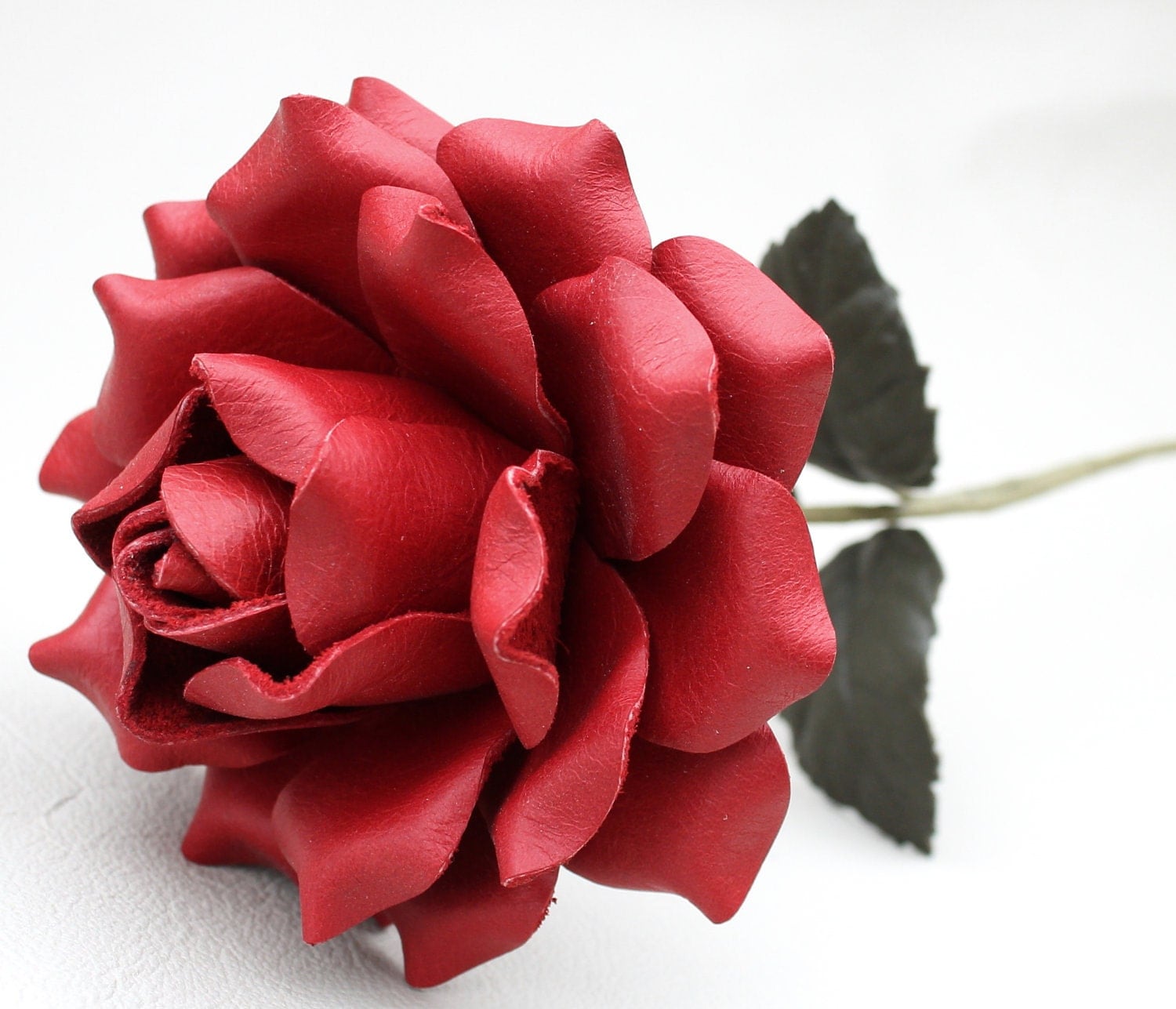
Red Leather Rose
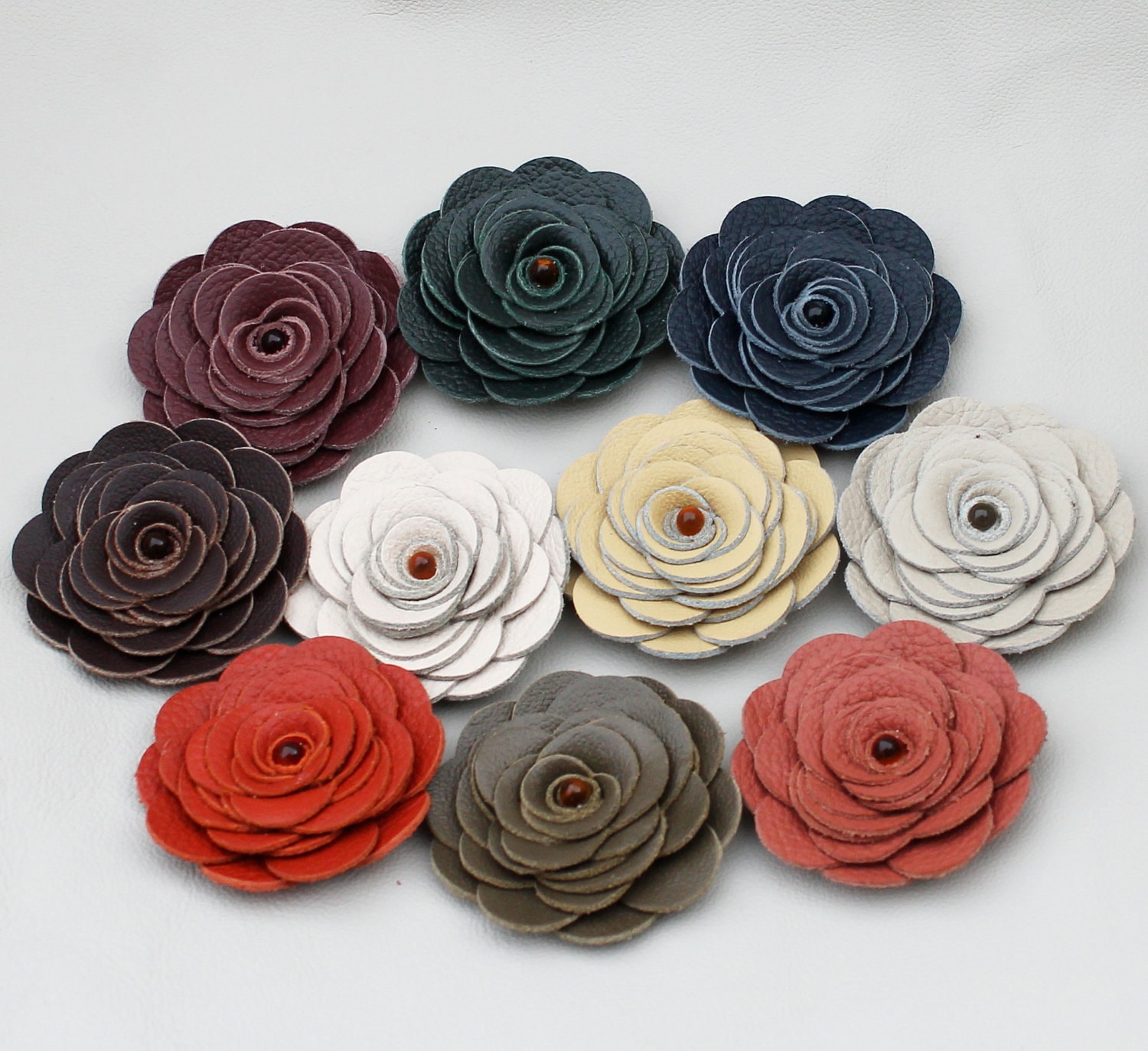
YES! All of these flowers are handcrafted out of leather by Julia of Leather Blossoms!

I originally ran across Leather Blossoms on Etsy almost two years ago, admired the leather flowers on headbands, wished I had somewhere to wear the beautiful creations, and filed the shop in the back of my head for a "someday" purchase. Well, fate put the shop in front of me again recently, and I absolutely love all the new styles! There's no question that anyone can find something in this shop to wear for daily use or a special occasion.

I warn you now, I couldn't choose just a few items, so be prepared for a leather photo extravaganza! (Sidebar: everything you see here comes in multiple colors, and I admit you are only being exposed to my color biases. Check out her shop to find something to match your favorite outfit! You can click the link under each photo to go directly to that item's shop page.)

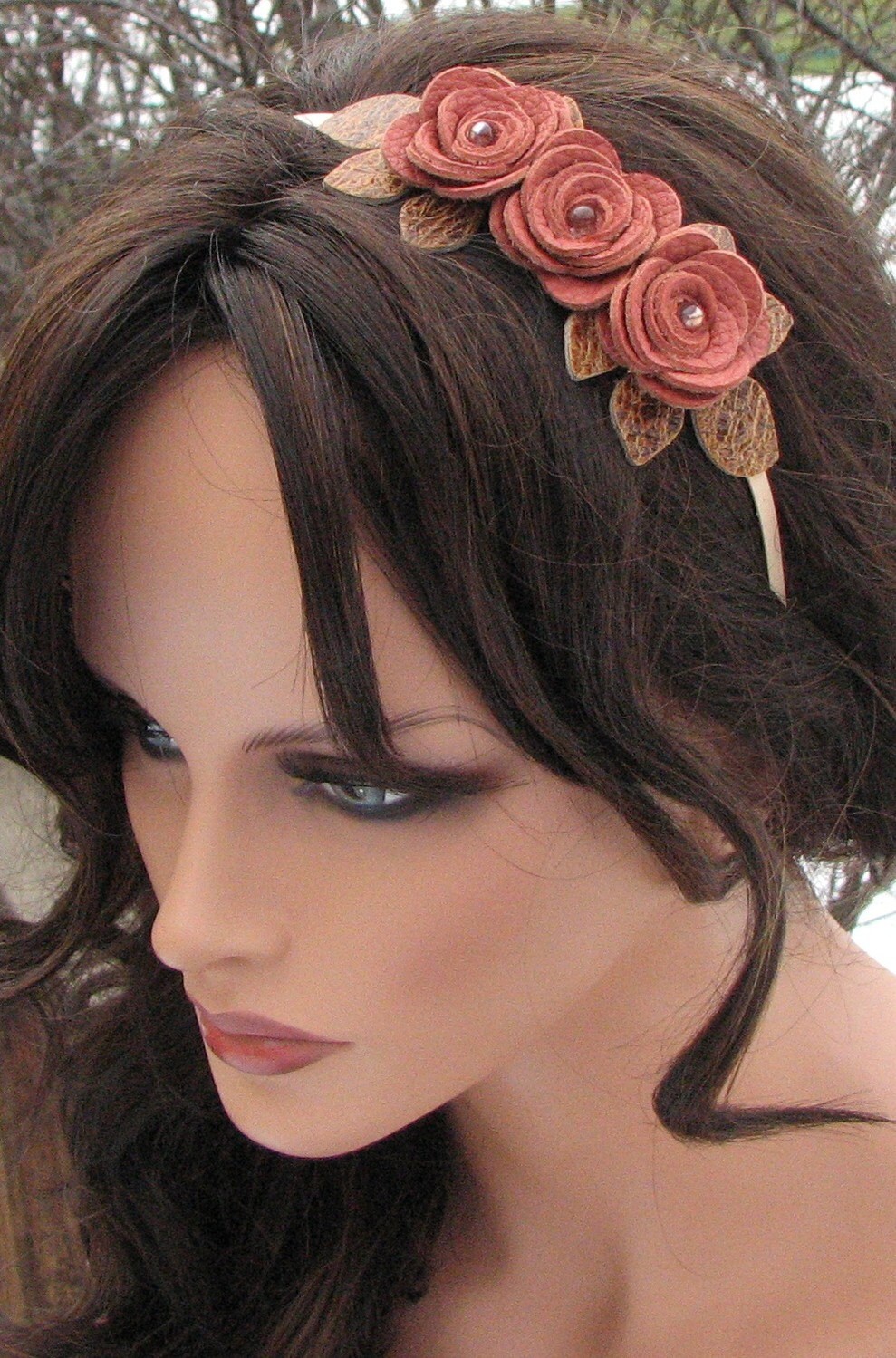
Small Pink Flower Headband
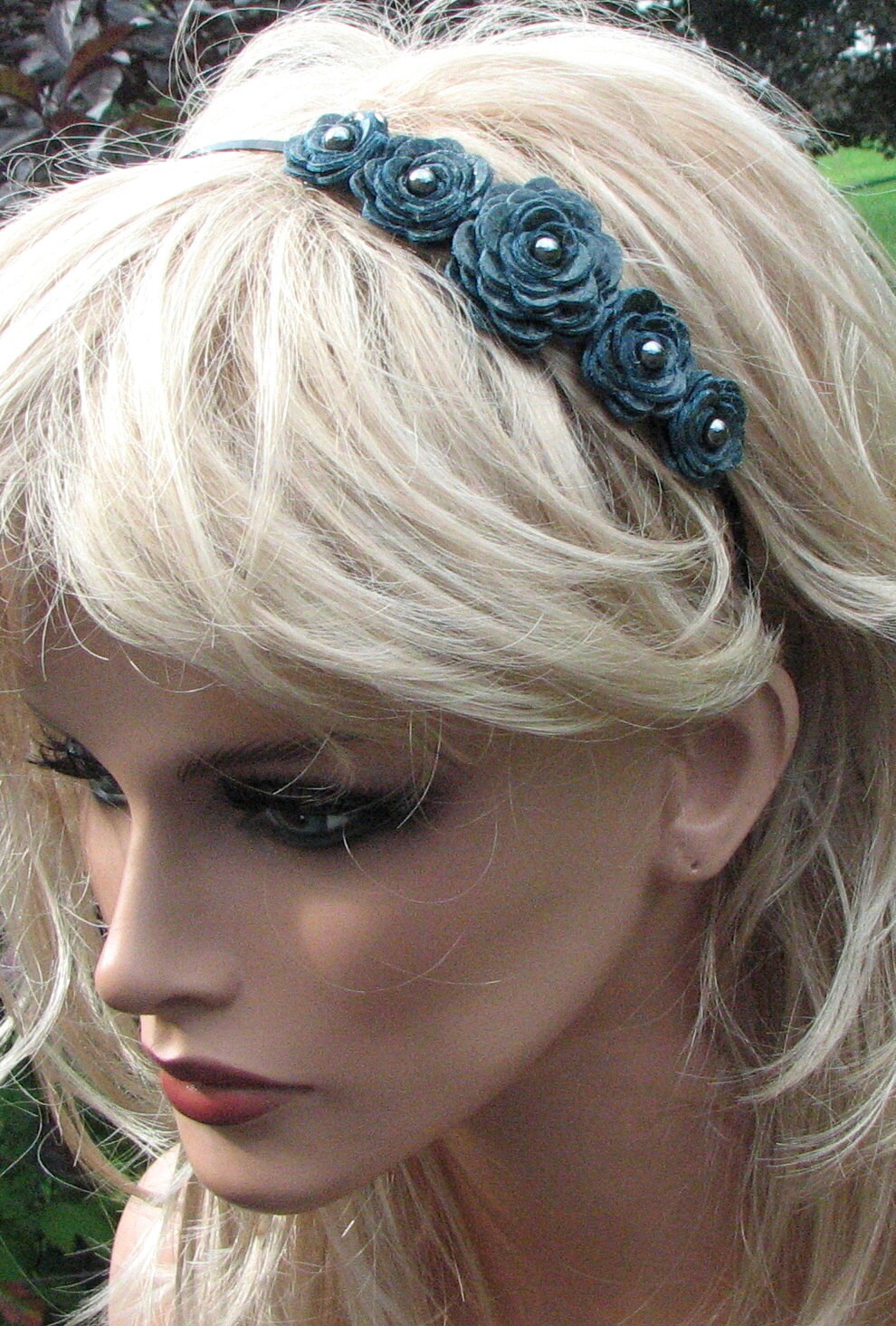
Small Teal Flower Headband


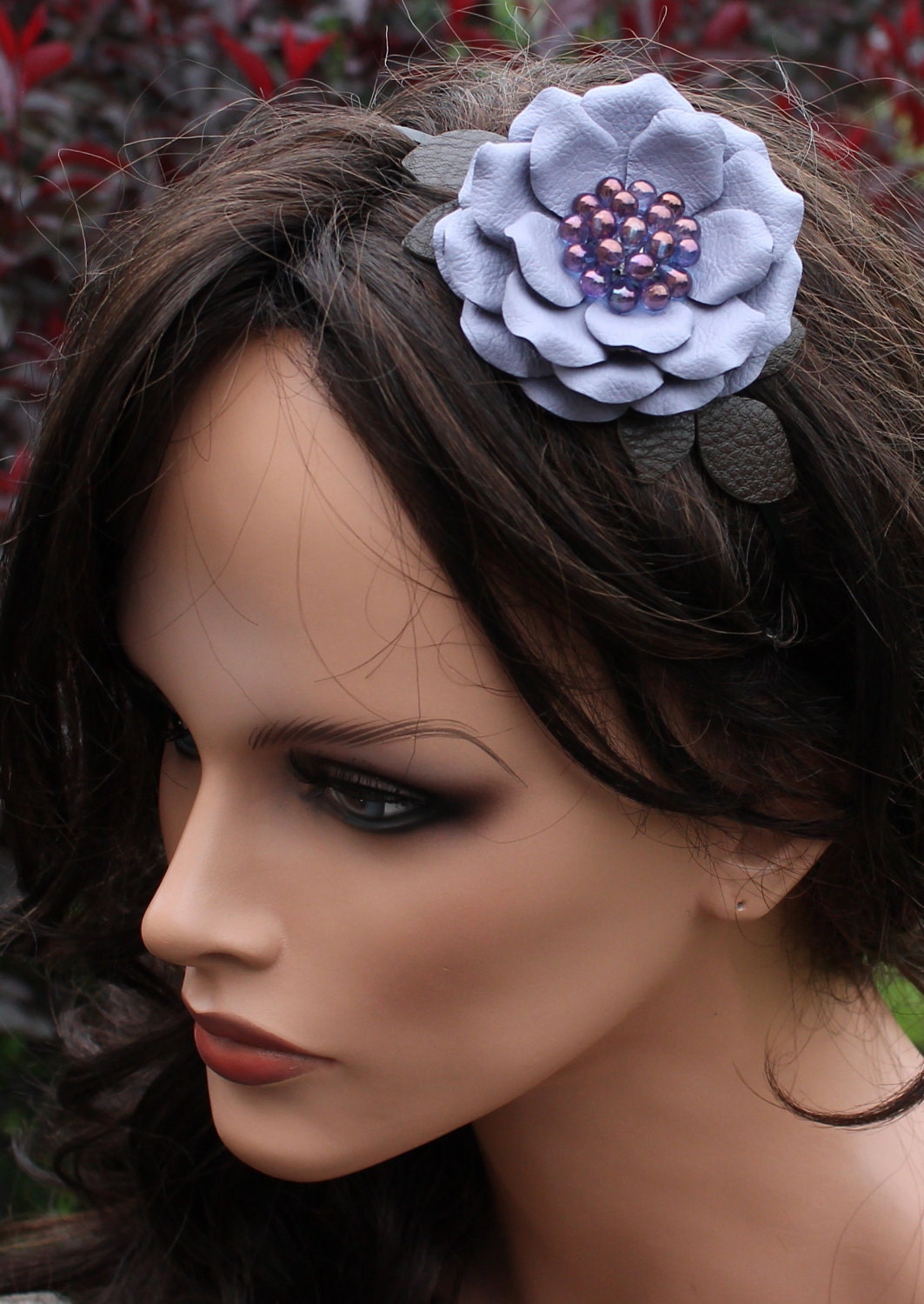
I think these headbands are perfect for casual wear. They have a clean, fun look without grabbing all the attention. I also appreciate that many of the the photos are taken with both a blond and a brunette mannequin, because what looks good on a blond may NOT be what looks good on me!

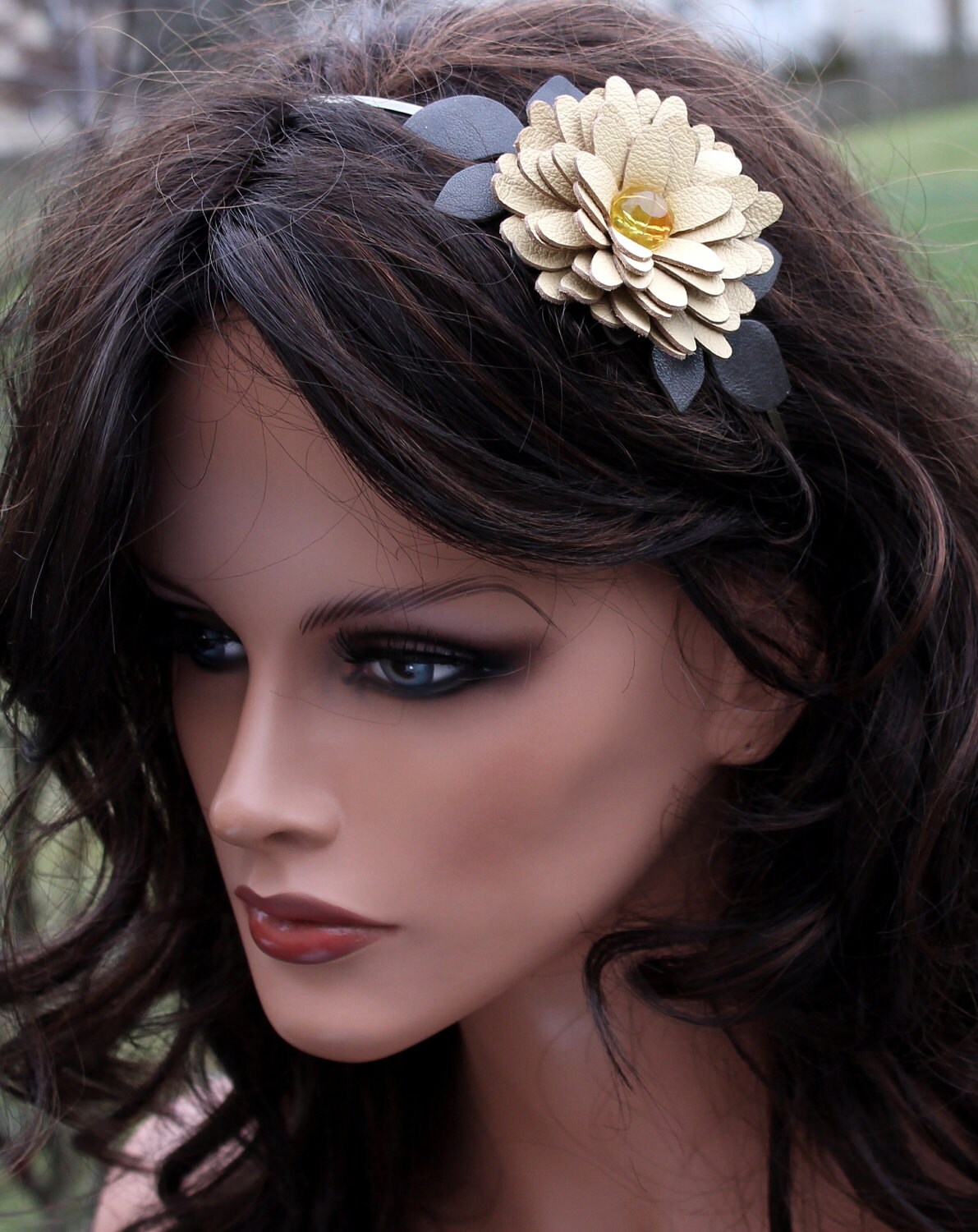
Large Yellow Flower Headband
Large Periwinkle Flower Headba


I also think that any of these headbands would be perfect for bridesmaids, or even the bride. After all, who has bridesmaids who all have the same length hair to create the same up-do? This way, it doesn't matter what hair style they wear!

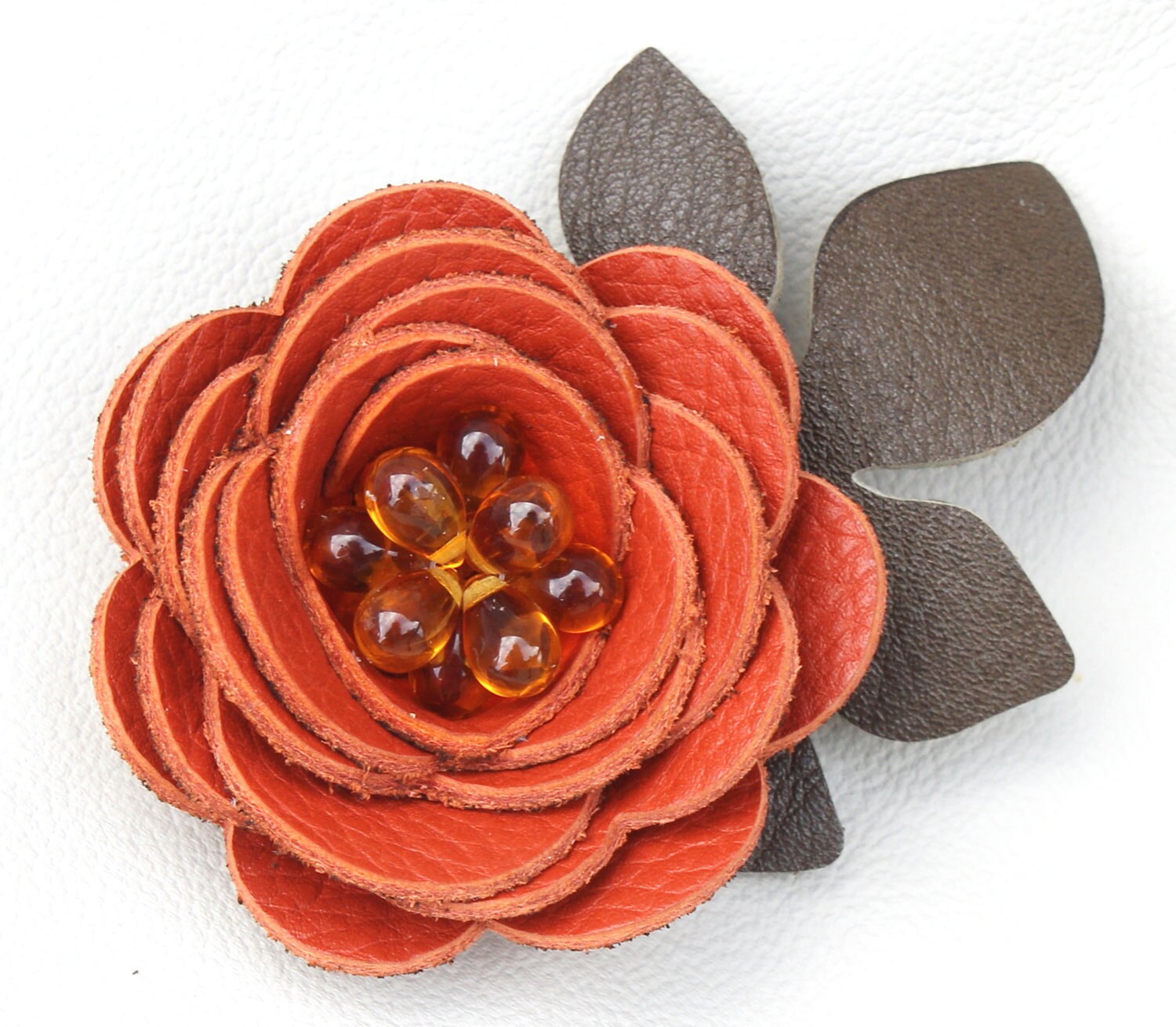
Leather Orange Flower on Alligator Clip
For those who aren't too interested in headbands but love the leather flower look, there are also hair clips and ponytail holders. I've been really into hair clips lately, so as soon as I saw these, I fell in love. The leather also adds a level of sophistication, which allows the clips to be worn in settings where silk flowers may not be appropriate.

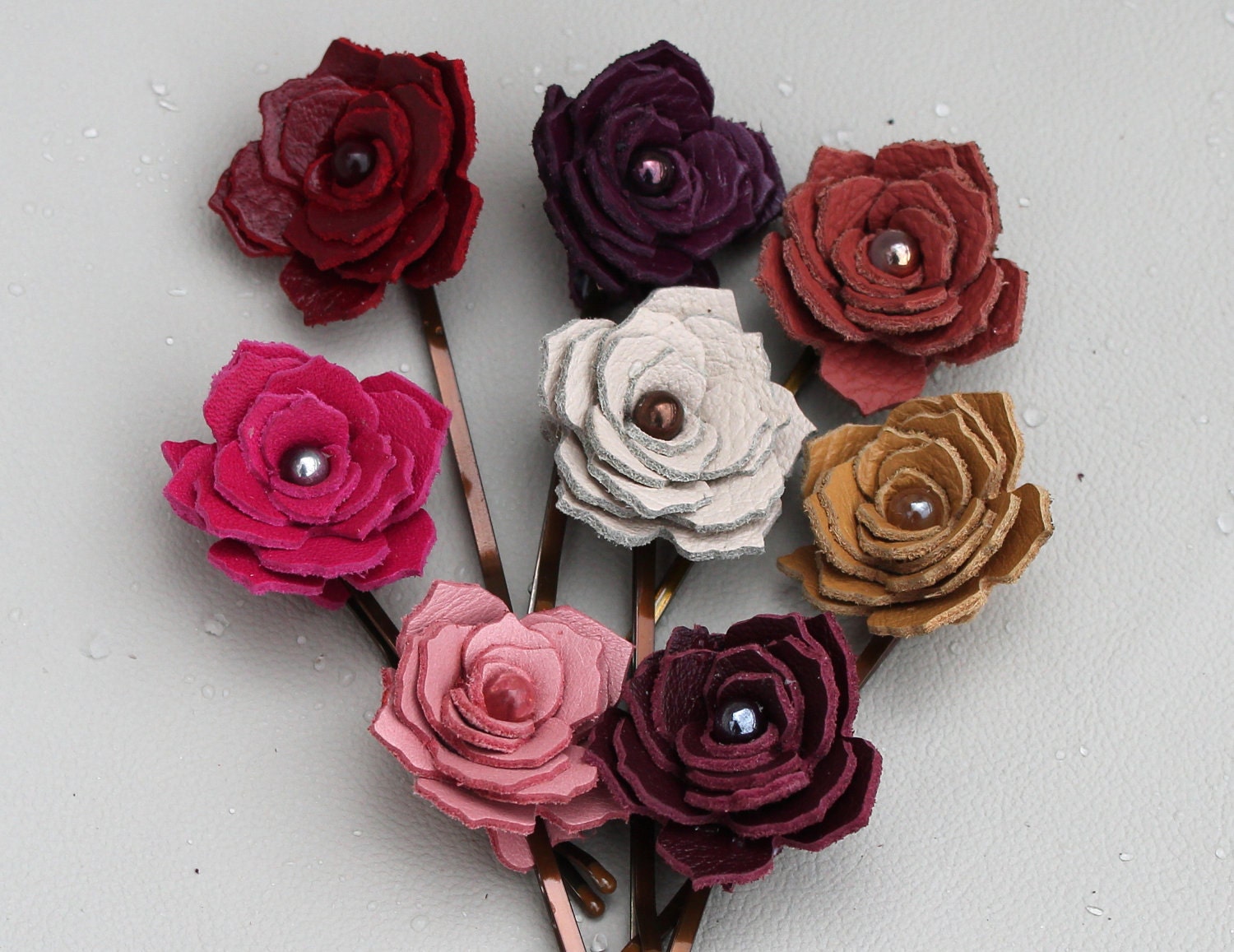
Leather Poinsettia Bobby Pins


Leather Flower Ponytail Holder

I've focused on hair accessories today, but you should know that Julia has also made many of these flowers into pins (for your jacket, etc.) and jewelry. She also has leather purses and clutches and other leather accessories, in addition to a sale section of the store! If you're the kind of person who's always on the cutting edge of what's new in fashion, or if you just like to wear things that not everybody is, you must check out Leather Blossoms!


PS: If you're more of an "I could do that!" type of person, Julia has a second shop, Blossoms DIY, which offers unattached flowers and leather die cuts.

Related Posts Plugin for WordPress, Blogger...